


- The best defense against a phishing attack is knowing what to look out for and spotting red flags.
- Phishing attacks can come through email, social media, texting and voice calls.
- Firewalls, VPNs and anti-phishing tools are great resources to further protect your information.
Phishing scams are a sneaky way for cybercriminals to trick people like you into giving away sensitive information or accidentally downloading malware onto your devices. These attacks can mess with your online privacy and personal data and even damage your devices. The good news? You don’t have to be a victim! There are plenty of simple ways to protect yourself from phishing before it even happens. Here are nine easy and effective methods to keep those scams far, far away.
Table of Contents
- What Is a Phishing Attack?
- Understand What a Phishing Attack Looks Like
- Consider the Sender
- Check the Company Website
- Don’t Click on Any Links
- Use a Password Manager
- Never Give Out Personal Information
- Use Anti-Phishing Tools
- Use a Firewall
- Use a Virtual Private Network
- What to Do If Your Data Is Breached
- How to Report a Phishing Attack
What Is a Phishing Attack?
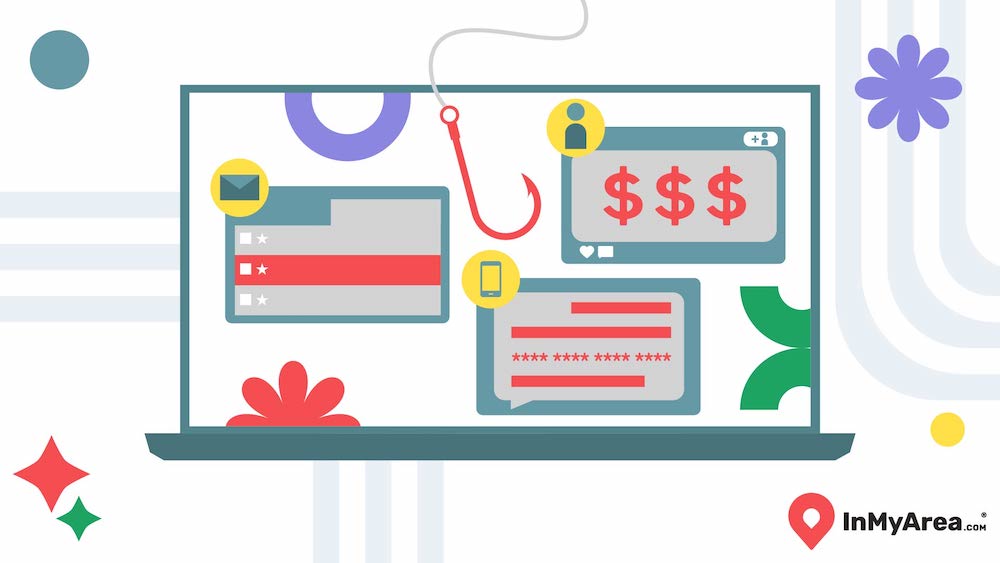
Ever gotten an email that looked legit but felt a little off? That might’ve been a phishing attack. Phishing is when scammers pretend to be someone you trust — like your bank, a popular store or even a coworker — to trick you into giving up personal info. They’re after things like passwords, credit card numbers or other sensitive details.
The goal is usually to steal your money, hack into your accounts, or commit fraud. These scams often play on emotions like fear or urgency to get you to click a bad link or download something sketchy.
Types of Phishing Attacks
There are a few different types of phishing attacks to look out for. Knowing these tricks can help you spot scams before they get you. Below are some things you'll see often.
- Email Phishing: This is the classic scam — fake emails that look like they’re from real companies. They might have urgent messages like "Your account is locked!" with links that lead to fake sites designed to steal your info.
- Spear Phishing: Think of this as phishing with a personal touch. Scammers target specific people, using details they’ve gathered about you to make their messages super convincing.
- Whaling: This one’s aimed at the big fish — like CEOs or top execs. The scams are more polished and professional, often trying to trick someone into sending sensitive business info or even wiring money.
- Smishing (SMS Phishing): This scam is sent through text messages instead of email. You might receive a "bank alert" or a "delivery notification" with a link that leads to trouble.
- Vishing (Voice Phishing): Yep, scammers call you, pretending to be from your bank, tech support or another trusted company. They’ll try to talk you into giving up private info over the phone.
- Pharming: This one’s sneaky. It redirects you from a legit website to a fake one without you realizing it. You think you’re logging into your bank’s website, but nope — it’s a clever copy designed to steal your details.
- Clone Phishing: Ever get an email that looks just like one you’ve seen before? Scammers copy real emails you’ve received and tweak them with malicious links or attachments. Since it looks familiar, you’re more likely to click.
1. Understand What a Phishing Attack Looks Like
One of the best ways to avoid falling for a phishing attack is to know what to look for. While scammers are always coming up with new tricks — like sneaky calendar invites or fake invoices loaded with malware — most phishing attempts have some telltale signs.
Watch out for emails, texts or messages with:
- Weird greetings or an unusual tone. If it feels off or overly formal when it shouldn’t be, that’s a red flag.
- Spelling and grammar mistakes. Legit companies usually proofread their messages.
- A sense of urgency. Messages that say "Act now!" or "Your account will be closed!" are designed to make you panic and click without thinking.
- Requests for sensitive information. Legit companies will not ask for passwords, credit card details, or personal information over email or text.
Understanding these red flags can make a huge difference. When you recognize a phishing attempt, you’re less likely to fall for it. Always take a moment to pause and think before clicking on links or sharing sensitive info, especially if something feels off. When in doubt, contact the company directly through a verified method to double-check. Staying cautious is your best defense.
2. Consider the Sender
Always check who’s sending the message. When you get an email, don’t just glance at the name — look closely at the email address. Scammers love to create addresses that look almost right, like "supp0rt@yourbank.com" with a sneaky zero instead of an "o."
Here’s a quick example: If you get an email about your Snapchat account but you’ve never had one, that’s an obvious red flag. It’s probably a phishing attempt to trick you into clicking a link or sharing personal information.
For emails from companies you do recognize, double-check if the sender’s address matches the official one. If it feels off — like an unexpected message from your "bank" asking for personal details — pause and verify before clicking anything.
Consider adding trusted contacts and verified businesses to your email address book. This way, emails from them will stand out, and you’ll know to be extra cautious with unfamiliar senders. Trust your gut — if something feels weird, it probably is.
3. Check the Company Website
Legitimate companies, like the IRS or your bank, don’t use public email domains like @gmail.com or @yahoo.com. They’ll have official work emails tied to their business domain — think something like @irs.gov or @yourbank.com.
Here’s the thing, though: Some phishing emails can be sneaky and might even use what looks like a real company domain. That’s why it’s important to look closely. Check for tiny misspellings in the domain name — like "@paypaI.com" with an uppercase "I" instead of a lowercase "L." It’s easy to miss if you’re in a hurry.
There are online tools like GetSafeOnline that let you plug in a URL to verify if it’s legit. It only takes a minute and can save you from falling into a phishing trap.
4. Don't Click on Any Links
Even if an email looks legit, don’t rush to click on any links. Instead, take a second to hover your mouse over the link to see where it really leads. Scammers often disguise harmful links with text that looks trustworthy, like “Reset Your Password” or “Track Your Package.” But when you hover over it, you might notice the actual URL is something completely different.
Some phishing attacks are incredibly sneaky and may use a URL that looks almost right but has a small misspelling or an extra character. If you're ever unsure, just visit the company’s official website by typing the address yourself. For example, if you get an email claiming to be from your bank, don’t click — go to your bank’s website directly and check for any notifications there.
5. Use a Password Manager
Password managers let you create and store strong, unique passwords without having to remember them all. But beyond convenience, they also add a layer of protection against phishing scams.
One major phishing tactic involves tricking you into typing your login details on a fake website. Here’s where a password manager can help — since it auto-fills passwords only on legitimate sites, it won’t enter your credentials on a phishing page. That’s a clear sign something’s off.
Another way they help is by preventing keystroke logging, a sneaky technique in which hackers install hidden software on your device to record what you type, including your passwords. Since a password manager fills in your login info for you, there’s nothing for a keystroke logger to steal.
6. Never Give Out Personal Information
Even if you have the best security tools in place, staying cautious about what you share — and who you share it with — can go a long way in preventing cyberattacks. Scammers rely on tricking people into giving up sensitive details like bank account numbers, social security numbers, passwords or even small bits of personal info that they can piece together for identity theft.
Never give out personal information online, over the phone or through text unless you're 100 percent sure it's legitimate. If a message, call or email asks for confidential details, pause and verify. Go directly to the company’s official website or call their customer service line — don’t just trust the contact info provided in the suspicious message.
7. Use Anti-Phishing Tools
Anti-phishing tools are a great line of defense against scams, and there are plenty of options out there, including free ones. These tools analyze emails, messages and websites, flagging anything that seems suspicious.
Basic anti-phishing tools often come as browser extensions that alert you if you’re about to visit a known phishing site. More advanced options offer managed security services, where cybersecurity experts actively monitor and protect an organization from phishing attacks.
Some tools also compare email content to a database of known phishing attempts, helping to identify threats before you even interact with them. These defenses work best when paired with good security habits, so even with anti-phishing tools in place, always stay cautious when opening emails or clicking links.
8. Use a Firewall
Think of a firewall like a security guard standing between you and the bad guys on the internet. While it won’t stop a phishing email from landing in your inbox or prevent you from falling victim to man-in-the-middle attacks, it does block malicious links that could open you to risk if clicked.
Phishing usually tricks people into clicking on fake links that lead to harmful websites designed to steal personal information. This is where the firewall comes in — it helps by preventing you from accessing those dangerous sites. It’s like having a gatekeeper that blocks harmful traffic from getting through.
For the best protection, enable both your desktop firewall and your router firewall. That way, you're covering all bases, whether you're browsing at home or using other devices on your network. A strong firewall setup works hand-in-hand with other security measures, like email filters and good security practices, to keep you safe from phishing and other online threats.
9. Use a Virtual Private Network
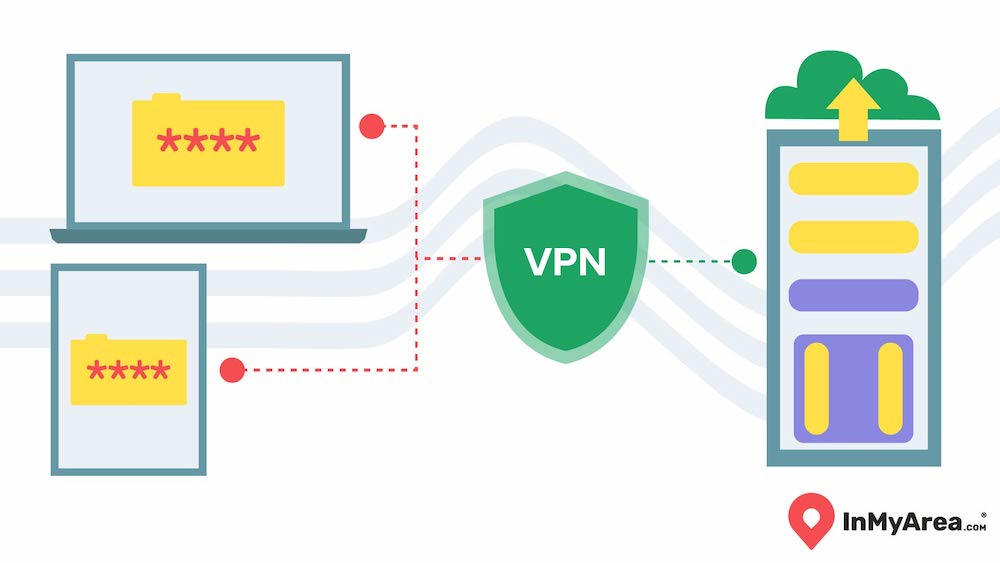
Using a virtual private network (VPN) can be a powerful tool to protect yourself from phishing attacks in a few ways:
- Encryption: A VPN scrambles your online activity so cybercriminals can’t intercept or access your personal information. This makes it much harder for phishing attempts to succeed because your data is hidden from prying eyes.
- Malicious Website Detection: Many advanced services come with built-in tools to help detect malicious websites, including real-time anti-malware scans that flag harmful sites before you can accidentally click on them.
- Firewall Protection: A VPN has a built-in firewall that helps block phishing threats and other risky online activities. It works alongside your regular firewalls to offer a stronger defense.
One thing to keep in mind, though, is that using a VPN can sometimes slow down your internet connection. Depending on the VPN service and the distance between you and the server, you might experience a drop in speed. If you’re into online gaming or streaming, this can be a bit of a hassle, even with a fast fiber-optic connection. However, for basic online activities like browsing the web or checking emails, you should still be good to go.
What to Do If Your Data Is Breached
If a cybercriminal has gotten access to your personal info, it’s time to act fast. These hackers are usually after your details to do some serious damage, so stopping them in their tracks is key.
- Change Your Passwords: If your login info is involved, change your passwords right away. Make them strong and unique — mix letters, numbers and special characters.
- Secure Your Accounts: If they’ve gotten into financial accounts, contact those companies ASAP. They might be able to freeze or monitor your accounts to catch anything suspicious.
- Monitor Your Transactions: Check your bank and credit card statements for unusual charges. If you notice anything fishy, report it to your bank immediately.
- Check for Malware: If you clicked on a bad link or opened a suspicious attachment, run a malware scan on your device. Use an antivirus or anti-malware program to ensure no malicious software is hiding on your device.
- Review Your Security Settings: Now’s a great time to go through your security settings across all your accounts. Set up 2FA, check recovery options, and review login activity for anything strange.
- Stay Vigilant: Monitor your accounts and online activity for a while, as hackers might not act immediately.
How to Report a Phishing Attack
If you think a phishing attack has hit you, don’t wait — report it as soon as possible. If it happened through your work email or involves company data, let your employer know right away. Most organizations have steps in place to deal with these things. Phishing can spread quickly, so timely reporting is really important.
If your financial information was compromised, contact your bank or credit card provider ASAP. They can freeze your accounts, monitor transactions, and help protect your money.
Also, make sure to forward the suspicious email to the Anti-Phishing Working Group (APWG) at reportphishing@apwg.org. They’re dedicated to tracking phishing attacks and stopping cybercrime. By reporting the email, you’re helping them build a database to fight these attacks. You can also report it to agencies like the Federal Trade Commission (FTC), which can offer advice and assist with investigations.
Frequently Asked Questions About Phishing Attacks
Who is the number one target for phishing attacks?
Phishing attacks usually go after people who might not be super tech-savvy, as they’re easier to trick. But high-ranking people in companies, like CEOs or managers, are also big targets, especially when cybercriminals use more personalized tactics. They’re after anyone with access to valuable info, so even if you think you’re not a target, it’s good to stay alert.
Where do most phishing attacks come from?
Most phishing attacks come from emails, but they can also sneak into your phone via text or even a phone call. Cybercriminals often pretend to be trustworthy sources like your bank, tech companies or even government agencies to get you to hand over sensitive info. They might disguise their emails or phone numbers to look like something legit, so it’s easy to miss at first.
Can phishing be reversed?
Once a phishing attack happens, it’s tough to completely undo the damage, but quick action can help limit it. If you’ve clicked a bad link or shared your info, change your passwords ASAP, notify your bank, and keep an eye on your accounts for anything strange. If you think malware got onto your device, run a virus scan. Reporting the attack can also help prevent it from affecting others, even if you can’t reverse everything right away.
How do I know if I have been phished?
If you’ve been phished, there are usually a few signs. You might get unexpected emails, texts, or messages asking for personal info like your bank details or passwords. They often look a little off, with weird links or bad grammar. If you clicked on something suspicious or gave away your info, and then noticed strange activity on your accounts, like random transactions or logins, it’s a sign you might have been phished. A virus scan and checking your accounts are good next steps.