


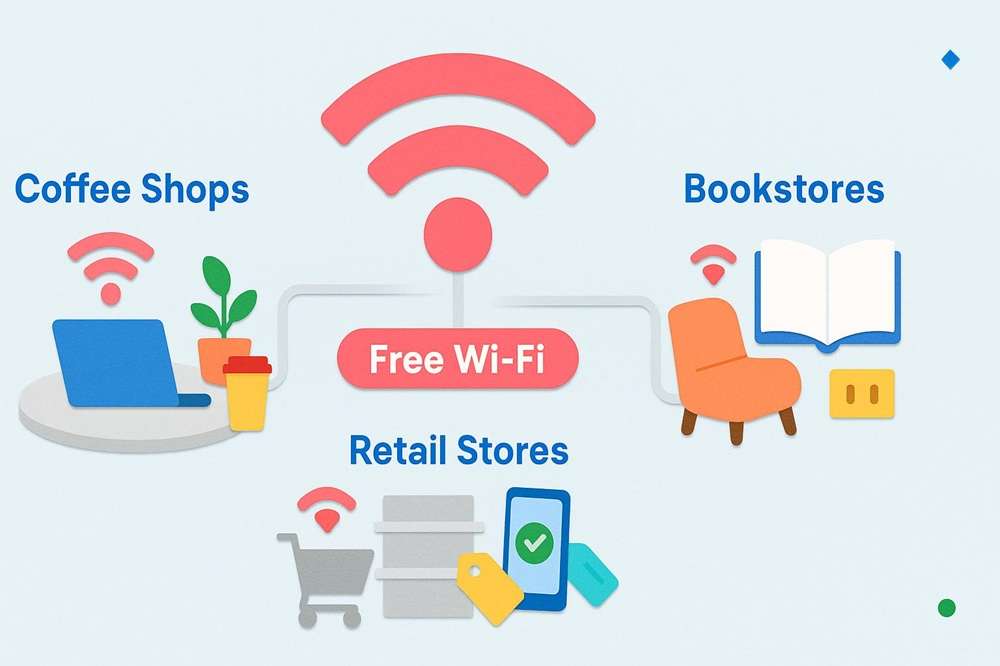
- Public libraries, coffee shops, and retail stores offer some of the most reliable free Wi-Fi hotspots while you're between internet services.
- Free Wi-Fi networks require specific security precautions, including using VPNs and avoiding sensitive transactions on public connections.
- Most national chains provide consistent Wi-Fi access across locations, making them dependable options when relocating to a new city.
Moving to a new home often means going days or even weeks without internet service while you wait for installation. Whether you're coordinating your move, researching internet providers in your new area, or just need to check email, finding reliable free Wi-Fi becomes essential. This guide identifies the most accessible public Wi-Fi locations and explains how to use them safely during your transition period.
Table of Contents
- Public Libraries and Community Centers
- Coffee Shops and Retail Locations
- Restaurants and Fast Food Chains
- Hotel Lobbies
- Transportation Hubs and Public Spaces
- Internet Provider Hotspots
- Staying Safe on Public Wi-Fi
- Understanding Public Wi-Fi Limitations
- Alternative Connectivity Options
Public Libraries and Community Centers
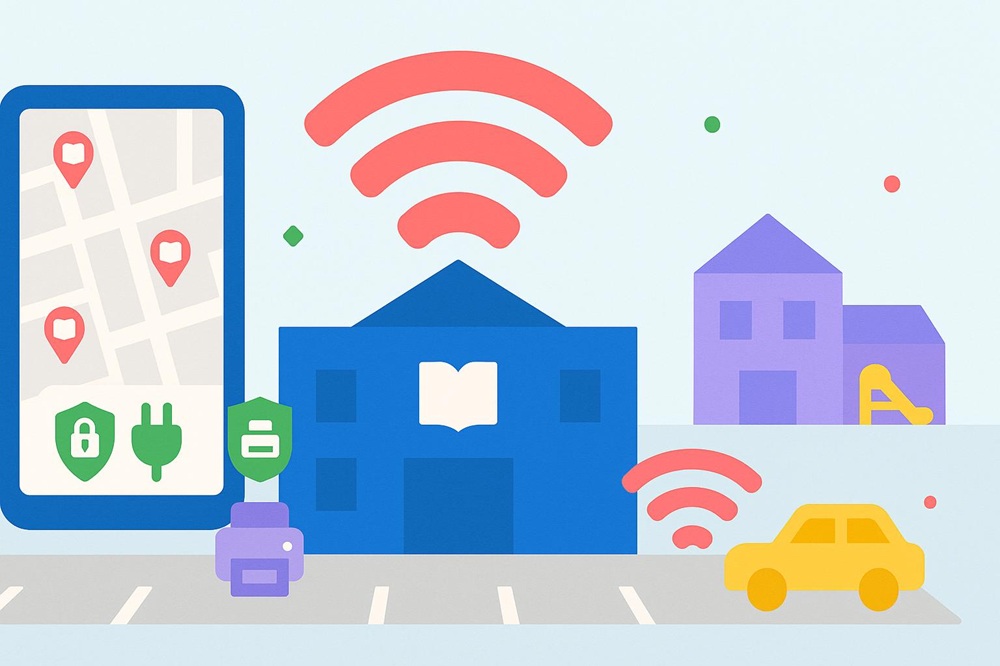
Public libraries consistently rank as the most reliable source of free Wi-Fi for extended work sessions or important tasks. Most library systems across the U.S. offer high-speed internet access to anyone who walks through their doors, often without requiring a library card for basic Wi-Fi connectivity.
According to the American Library Association, approximately 98 percent of public libraries offer free Wi-Fi access, making them one of the most widely available public internet resources in the country. Library Wi-Fi typically offers stronger security than commercial hotspots because libraries implement professional IT management and regularly monitor their networks.
Beyond Wi-Fi access, libraries provide additional benefits during a move. You'll find quiet workspaces, electrical outlets for charging devices, printing services for essential documents, and staff who can help you locate community resources in your new area. Many libraries extend their Wi-Fi range to parking lots, allowing 24-hour access even when the building is closed.
Tip: Call ahead to your new local library to ask about their guest Wi-Fi policy and whether you need any identification to access their network, especially if you haven't established residency yet. |
Community centers and recreation facilities operated by city or county governments often provide similar free Wi-Fi access. These locations can be particularly useful if you have children, as they typically offer family-friendly environments with additional amenities.
How to Locate Libraries Near You
Finding libraries in your new area is straightforward using online directories. The Institute of Museum and Library Services maintains a comprehensive database of public libraries searchable by zip code. Google Maps searches for "public library near me" will show locations, hours, and user reviews. When you're between setting up internet in your new home, identifying the nearest library should be among your first tasks.
Coffee Shops and Retail Locations
National coffee chains provide some of the most accessible and comfortable free Wi-Fi environments. Starbucks offers complimentary wireless internet at all company-operated locations in the U.S. through a partnership with Google, requiring no purchase or login credentials. Their network typically delivers speeds sufficient for video calls, file uploads, and streaming.
Other major chains with reliable free Wi-Fi include Panera Bread, Dunkin', and local independent coffee shops competing for remote workers and students. These establishments expect customers to make purchases, though policies vary regarding minimum spending or time limits.
Retail locations have increasingly added free Wi-Fi to enhance the shopping experience. Apple Stores offer high-speed internet access and often feature large tables and seating areas designed for product demonstrations, which are also available for general use. Target, Home Depot, and Best Buy offer guest Wi-Fi throughout their stores, which can be helpful when you need to quickly research product information or compare prices while furnishing your new home.
Bookstore Wi-Fi Options
Barnes & Noble locations offer free in-store Wi-Fi that doesn't require a purchase, making their café areas popular spots for extended work sessions. The combination of comfortable seating, electrical outlets, and a quiet atmosphere creates an environment similar to libraries with the added option of purchasing food and beverages.
Etiquette Reminder: When using Wi-Fi at businesses, consider making periodic purchases if you're staying for several hours, especially during peak business times. |
Restaurants and Fast Food Chains
Fast food restaurants have become unexpected champions of free public Wi-Fi. McDonald's offers wireless internet at most of its U.S. locations, available without a purchase and with no time limits. The network is managed nationally, providing consistent performance across different cities, which is particularly valuable when you're relocating to an unfamiliar area.
Other chains offering reliable free Wi-Fi include Chick-fil-A, Subway, Taco Bell, and Burger King. These locations often feature extended hours, making them useful for early morning or late evening connectivity needs when libraries and coffee shops are closed.
Casual dining chains like Applebee's, Buffalo Wild Wings, and Olive Garden typically offer free guest Wi-Fi, though these are better suited for dining customers rather than extended work sessions. The Wi-Fi quality at restaurants can vary significantly based on how well the establishment maintains its network infrastructure.
Hotel Lobbies
Hotel lobbies often provide free Wi-Fi in public areas, even for non-guests. Chains like Marriott, Hilton, and Hyatt typically offer complimentary Wi-Fi in their lobbies as part of their commitment to serving business travelers. While staying for extended periods without being a guest may draw attention, these locations work well for quick tasks or short video calls.
Transportation Hubs and Public Spaces
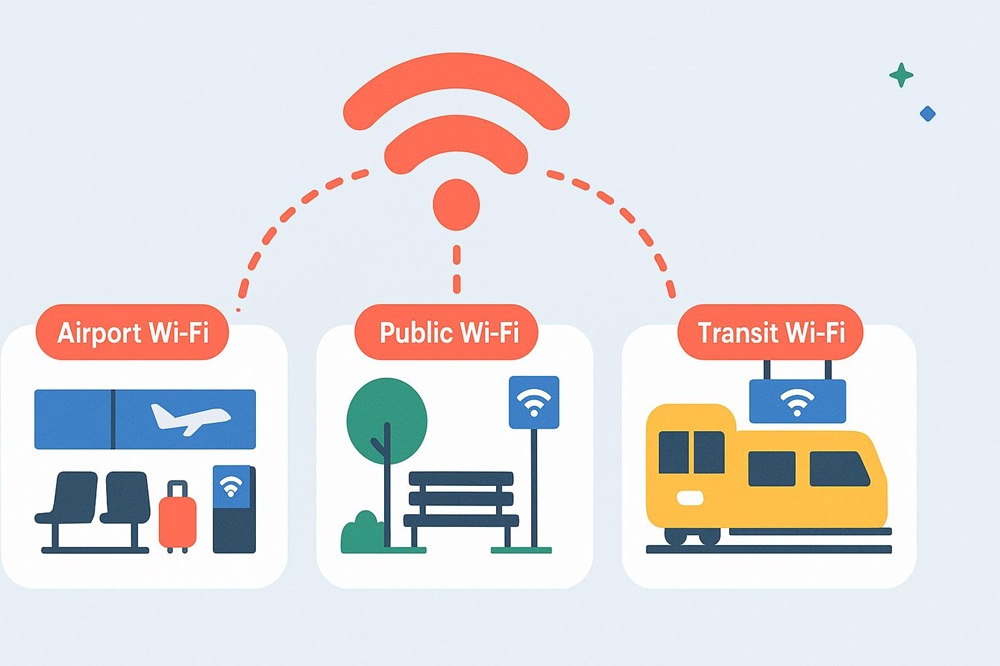
Many cities have installed free municipal Wi-Fi in downtown areas, parks, and public plazas as part of smart city initiatives. These networks are particularly useful for outdoor connectivity while exploring your new neighborhood.
Public transportation systems in major metropolitan areas increasingly offer Wi-Fi on buses, trains, and subway platforms. Transit agencies in New York, San Francisco, Chicago, and Washington, D.C. provide wireless internet that helps commuters stay connected during their daily travel.
Travel Insight: Download offline maps and important documents before relying on public transportation Wi-Fi, as connectivity can be inconsistent when trains or buses are moving. |
Internet Provider Hotspots
Major internet service providers operate extensive Wi-Fi hotspot networks for their customers. If you're maintaining service with the same provider during your move, you may continue to have access to their hotspot network even before installation at your new address.
Xfinity operates over 23 million Wi-Fi hotspots nationwide, primarily located near Xfinity customer homes and businesses. Current Xfinity internet subscribers can connect to these "xfinitywifi" networks automatically using their account credentials. Spectrum offers similar access through "Spectrum Out-of-Home WiFi" hotspots for its internet customers.
AT&T provides hotspot access at thousands of locations, including restaurants, stores, and public venues, for its internet and wireless customers. These provider-managed hotspots generally offer better security and faster speeds than completely public networks because they are professionally maintained and limited to verified customers.
When you're transferring internet service to a new address, ask your provider about hotspot access during the transition period. Some companies extend hotspot privileges or provide temporary mobile hotspot devices to bridge the gap between disconnection at your old address and installation at your new home.
Staying Safe on Public Wi-Fi
Public Wi-Fi networks pose significant security risks because they are often shared by numerous unknown users and frequently lack encryption. Understanding these risks and taking appropriate precautions helps protect your personal information and devices when using free internet access.
The primary concern with public Wi-Fi involves data interception. Without proper security measures, other users on the same network can view your online activity, capture passwords, or access files on your device. Unencrypted public Wi-Fi creates opportunities for various cyber attacks, including man-in-the-middle attacks and malware distribution.
Essential Security Practices
Using a Virtual Private Network (VPN) is the most effective way to secure your connection on public Wi-Fi. VPNs encrypt all data traveling between your device and the internet, making it unreadable to anyone attempting to intercept it. Many reputable VPN services offer free tiers with sufficient data allowances for basic tasks, while paid services typically provide faster speeds and unlimited data.
Always verify you're connecting to the legitimate network by asking staff for the official network name. Cybercriminals sometimes create fake Wi-Fi networks with names similar to legitimate ones (like "Starbucks_Guest" instead of "Starbucks WiFi") to trick users into connecting. These rogue hotspots can capture all your data.
Avoid accessing sensitive accounts or conducting financial transactions on public Wi-Fi whenever possible. If you must check your bank account or make a purchase, ensure the website uses HTTPS encryption (look for the padlock icon in your browser's address bar) and consider using your smartphone's cellular data instead.
Security Essential: Disable automatic Wi-Fi connection on your devices to prevent them from joining unknown networks without your permission, which could expose you to security risks. |
Device-Level Protection
Keep your device's operating system and security software up to date with the latest patches. Enable your firewall and turn off file sharing when connected to public networks. These basic precautions significantly reduce your vulnerability to attacks targeting public Wi-Fi users.
Consider using two-factor authentication on important accounts. Even if someone intercepts your password on a public Wi-Fi network, they won't be able to access your account without the second authentication factor.
Understanding Public Wi-Fi Limitations
Free Wi-Fi serves as a temporary solution rather than a replacement for home internet service. Public networks have inherent limitations that affect their reliability, speed, and usability for various tasks.
Connection speeds on public Wi-Fi vary dramatically based on the number of simultaneous users and the network's capacity. During peak hours, you might experience significantly slower speeds than advertised. A coffee shop's Wi-Fi that works well at 10 a.m. may become nearly unusable during the lunch rush when dozens of people are connected simultaneously.
Many public Wi-Fi networks implement bandwidth restrictions to ensure fair access for all users. These limitations may block or throttle high-bandwidth activities, such as video streaming, large file downloads, or online gaming. Some networks also restrict access to certain types of content or websites for security or appropriateness reasons.
Data Privacy Considerations
Public Wi-Fi providers often track your browsing activity and may share or sell this data to advertisers. When you agree to the terms of service to access free Wi-Fi, you're typically consenting to some level of data collection. Reading these terms helps you understand what information is being collected and how it's used.
Time limits present another common constraint. Some locations automatically disconnect you after a set period (often one to four hours) and require re-authentication. This can interrupt video calls or disrupt work sessions if you're not prepared.
Alternative Connectivity Options
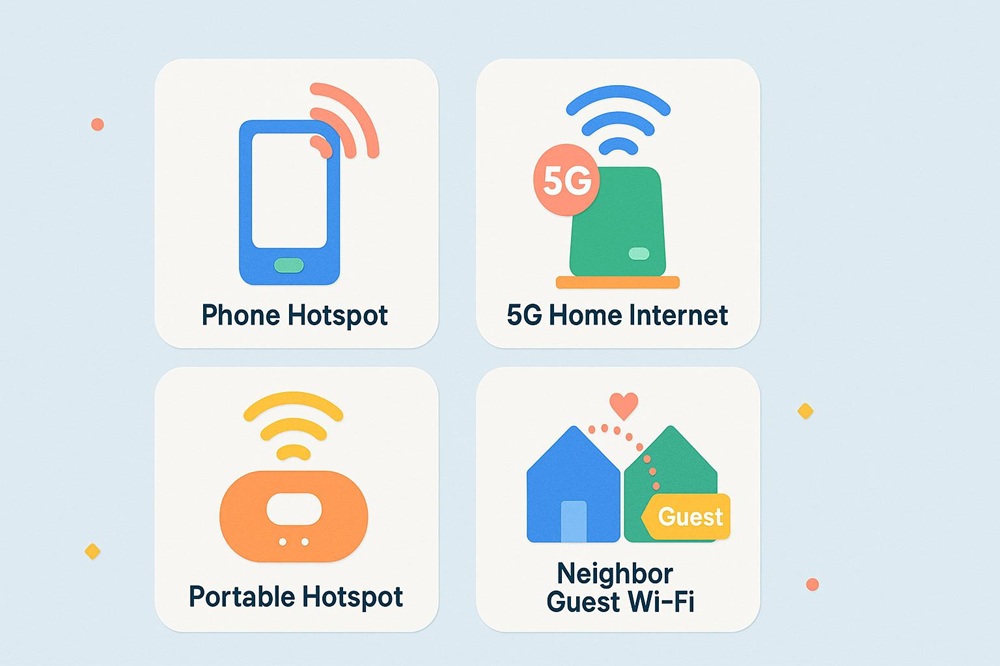
While searching for free Wi-Fi addresses immediate needs, exploring other connectivity options provides more reliable internet access during your transition period between homes.
Mobile hotspot functionality built into smartphones converts your cellular data connection into Wi-Fi that other devices can use. Most unlimited phone plans include some amount of high-speed hotspot data each month. This option offers better security than public Wi-Fi and provides connectivity wherever you have cellular service, making it ideal for working from your new home before internet installation.
Some internet providers offer home internet options that don't require professional installation. Fixed wireless internet and 5G home internet services ship you a modem that you simply plug in and activate, providing internet access within minutes. While these may not be your long-term solution, they can bridge the gap if you need immediate home connectivity and are worth considering when choosing an internet provider.
Portable hotspot devices (also called MiFi devices) provide dedicated mobile internet access without relying on your smartphone. Many cellular carriers offer these devices with prepaid or month-to-month plans, allowing you to purchase exactly the amount of internet you need during your transition period without long-term commitments.
Planning Ahead: Schedule your home internet installation before your move-in date to minimize the time you're without reliable connectivity in your new home. |
Borrowing From Neighbors
In apartment buildings or dense residential areas, you might receive Wi-Fi signals from neighboring units. While connecting to these networks without permission is both unethical and potentially illegal, introducing yourself to new neighbors and politely asking if you could use their guest network for a few days until your installation might build goodwill in your new community. Always offer to compensate them for the courtesy.
Making Free Wi-Fi Work During Your Move
Finding free Wi-Fi during a move requires knowing where to look and how to use public networks safely. Libraries provide the most reliable and secure option for extended work sessions, while coffee shops and restaurants offer convenient alternatives with comfortable environments. Understanding the security risks and taking appropriate precautions helps protect your personal information when accessing these networks.
Remember that free Wi-Fi serves as a temporary bridge rather than a permanent solution. As soon as possible after moving, establish reliable home internet service that meets your household's needs. Comparing internet and TV bundles often reveals cost-effective options that provide better value than cobbling together separate services. With proper planning and knowledge of available resources, you can stay connected throughout your move without compromising security or productivity.
Frequently Asked Questions
Is it safe to work on public Wi-Fi if I'm just browsing websites?
While casual browsing on public Wi-Fi is generally safer than accessing sensitive accounts, you should still take precautions. Use HTTPS websites (indicated by a padlock icon in your browser), keep your device's security software up to date, and avoid clicking on suspicious links. Using a VPN adds an extra layer of protection even for basic browsing.
Can I use public Wi-Fi for video calls during my job search or remote work?
Video calls are technically possible on public Wi-Fi, but connection quality varies significantly based on network congestion and bandwidth limitations. Libraries and coffee shops during off-peak hours typically provide the most reliable connections for video calls. Test your connection beforehand, have a backup plan, and inform the other party that you're on public Wi-Fi in case you experience interruptions.
How long can I stay connected to free Wi-Fi at coffee shops and restaurants?
Time limits vary by establishment and are often unenforced unless the location becomes crowded. Many coffee shops welcome customers who stay for several hours, especially during slow periods, as long as you make periodic purchases. Fast food restaurants typically don't monitor connection time, but their environments aren't designed for extended stays. When in doubt, ask staff about their Wi-Fi policy.
Do I need to create accounts or provide personal information to access free Wi-Fi?
Requirements vary by location. Some networks require only agreeing to the terms of service, while others ask for an email address, phone number, or social media login. Libraries usually require no information, while retail locations might request email addresses for marketing purposes. Consider creating a separate email account specifically for Wi-Fi registrations to protect your primary email from spam.
What's the difference between a VPN and just using HTTPS websites?
HTTPS encrypts data between your browser and a specific website, protecting login credentials and information you enter on that site. A VPN encrypts all internet traffic from your device, protecting everything you do online, including which websites you visit, DNS requests, and data from apps that don't use HTTPS. VPNs provide comprehensive protection on public Wi-Fi, while HTTPS only protects specific website interactions.
Can public Wi-Fi give my device a virus?
While simply connecting to Wi-Fi won't directly infect your device, public networks create opportunities for malware distribution. Attackers on the same network might attempt to exploit vulnerabilities in your device or trick you into downloading malicious software. Keeping your operating system and security software updated, avoiding suspicious downloads, and using a VPN significantly reduces these risks.