

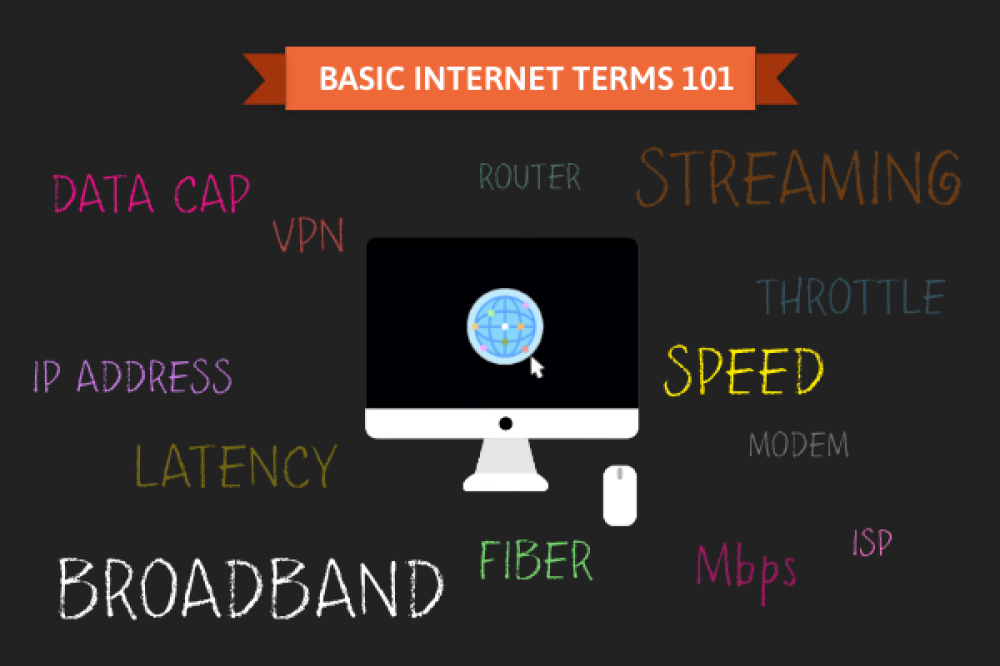
It’s not unusual for people to say things like, “I want WiFi but I don’t want internet,” when purchasing internet service for their home. Our world is so full of techy internet jargon that at times, it can feel like tech-savvy people are speaking a different language. From bandwidth to upload speeds to megabits and gigabits, things can get complicated pretty quickly. Purchasing internet shouldn’t feel like a foreign language class, so we’ve come up with a list of key internet terms and definitions to help you on your journey to internet jargon enlightenment.
Everyone from toddlers to grandparents relies on the internet to stay in touch, get an education, find work, and more. Understanding key internet terms will not only make life in today’s digital society easier, but it might also save you some money when looking for a new internet service provider.
Table of Contents
- General Internet Terms
- Internet Terms About Internet Performance
- Internet Terms About Your Connection
- Using Internet Terms to Shop for Internet
General Internet Terms
The meaning of these words, phrases, and acronyms typically does not change. They always mean the same thing, no matter the context.
Broadband
The Federal Communications Commission (FCC) states, “The term broadband commonly refers to high-speed internet access that is always on and faster than the traditional dial-up access.” Back when dial-up internet was the main connection, the term broadband wasn’t used as much because dial-up’s bandwidth was very narrow.
ISP
ISP stands for Internet Service Provider. This refers to the company that supplies your internet connection. A few popular examples are AT&T, Spectrum, Xfinity, or Starlink.
Streaming
Streaming is a way of transferring data continuously, allowing users to use the data before it is all received. Streaming music and video allows you to enjoy the content without having to download the file.
Connection Type
An internet connection type is the method by which internet data is transferred. Internet can be provided to your home either through wired internet or wireless internet. In order of what’s best, there are five common connection types: fiber, cable, DSL, fixed wireless, and satellite. Cable is most widely available, with DSL and satellite being more common in rural areas.
Here's the difference between wired and wireless internet.
Feature | Wired Internet | Wireless Internet |
|---|---|---|
Connection type | Physical cable (fiber, coax) | Radio signals (Wi-Fi or cellular) |
Provider types | Fiber, cable, and DSL | Satellite, fixed wireless |
Speed consistency | Very stable and reliable | Can fluctuate due to interference or distance |
Latency | Lower | Slightly higher |
Best for | Gaming, video calls, and large downloads | Mobility, convenience |
Wi-Fi
Internet and Wi-Fi are not the same. The best way to understand the difference between the two is to realize that Wi-Fi provides internet wirelessly, but it is not the internet itself. In the most basic terms, the internet is a global network. Wi-Fi allows access to that global network wirelessly, but it is not the network itself.
Here's how the internet and Wi-Fi compare to each other.
Feature | Internet | Wi-Fi |
|---|---|---|
What it is | The global network that delivers online content | A wireless method of accessing the internet |
Comes from | Your ISP | Your router |
Works without Wi-Fi? | Yes | No |
Common confusion | Often blamed when connections are slow | Often mistaken for the internet itself |
Data Cap
A data cap is a limit to the amount of data transferred via the internet. ISPs give customers data caps in hopes of reducing network congestion. Using the highway analogy, when too many people are on the highway, everyone has to move more slowly because there isn’t much room to go fast. The same applies to the internet. Data caps are very common with satellite internet, which could be challenging for rural users with limited options.
Internet Terms About Internet Performance
The main concern about the internet today surrounds its speed; however, that is the biggest misconception about the internet. Not all terms regarding internet speed are synonymous. Understanding the difference in the terms and phrases will have the most impact on your understanding of the internet.
Bandwidth and Speed
Bandwidth is the maximum capacity that data can travel through an internet connection. Think of bandwidth as the number of lanes in the highway. Having 5 lanes instead of 2 lanes means there will be more room for cars to pass through quickly. The bandwidth means there can be no more than 5 cars traveling next to each other at the same time due to its capacity.
Speed is the rate at which data travels. Think of internet speed as the actual speed your car is going at. At some points in time, there will be congestion leading to a traffic jam, and your actual speed can be slower than the speed limit. When internet providers say, “speeds up to 100 Mbps”, it does not mean your data travels at 100 Mbps every time you go to a new website, load a video, or play video games online.
Here's how the two metrics differ:
Feature | Bandwidth | Speed |
|---|---|---|
What it means | The maximum amount of data your internet connection can handle at once | How fast data actually moves from the internet to your device |
How it's measured | Mbps or Gbps | Mbps or Gbps |
Think of it like | The width of a highway | How fast cars are driving |
What it affects | How many devices and activities you can support at once | How quickly pages load, videos start, or files download |
Common misconception | More bandwidth automatically means faster internet | Speed is always limited by your available bandwidth |
Mbps and Gbps
Megabit per second (Mbps) is a measure of speed, while a megabit (Mb) is a unit of measurement for data size. It’s similar to miles per hour (mph), where the speed is defined by the number of miles traveled per hour. Mbps is the amount of data transferred in one second. The same applies to Gbps since 1 Gb is equivalent to 1,000 Mbps. Gigabit connections are common with fiber internet and are suitable for large households with high bandwidth needs.
Download Speed and Upload Speed
Download speed is the speed at which incoming data travels, while upload speed is the speed at which outgoing data travels. When ordering internet, the number of providers mostly advertise is the download speed. If you’re a photographer, telecommuter, YouTuber, blogger, graphic designer, online video gamer, or someone who uploads a lot of content online, you’ll want upload speeds close to or matching your download speeds. Besides fiber internet, most internet transfer types do not have identical download/upload speeds. For the average user, asymmetrical speeds are fine, but content creators, gamers, or people working from home can greatly benefit from symmetrical internet speeds.
Here's how the two types of speeds differ in your internet experience.
Feature | Download Speed | Upload Speed |
|---|---|---|
What it controls | How fast data comes to you | How fast data moves away from you |
Used for | Streaming, browsing, downloading files | Video calls, posting content, cloud backups |
Typically faster? | Yes | No |
Why it matters | Impacts everyday internet use | Critical for remote work and content creation |
Measure in | Mbps or Gbps | Mbps or Gbps |
Throttle
To be “throttled” means having your internet speed slowed. Internet providers tend to slow down (throttle) customer speeds after they use a certain amount of data. ISPs are required by the FCC to disclose this practice.
Internet Terms About Your Connection
Latency
Latency is the delay in data transfers. When you click on something, the wait for whatever you clicked on to display is latency.
Lag and Ping
Lag refers to the internet connection’s latency itself. Lag is a visual representation of latency—when the page loads in parts rather than all at once. When someone says, “the game is lagging,” they mean the game is visibly loading more slowly due to the internet connection’s latency.
Ping measures an internet connection’s latency, usually in milliseconds (ms). When there is a lot of lag, it is usually because of a high ping rate.
Modem and Router
Basically, a modem is what gets your home connected to the internet. It is the bridge between your ISP and your home. A router is what allows your devices to connect to the internet.
The difference between a modem and a router is that a modem delivers a signal from your ISP to whatever is also connected to it, while a router (which is usually wireless these days) connects to a modem to deliver a signal to multiple devices wirelessly. Nowadays, modems and routers are being combined into one device.
This is how the two work together to deliver your internet connection.
Feature | Modem | Router |
|---|---|---|
Primary job | Connects your home to your internet service provider (ISP) | Distributes the internet connection to your devices |
Required for internet? | Yes | Yes |
Handles Wi-Fi? | No | Yes |
Connects to | ISP's network | Modem and devices |
IP address
An Internet Protocol (IP) address is like your home address. IP addresses are assigned to devices when they’re connected to the internet. They can be permanent or change over time, depending on the type of IP address assigned.
Static/Dynamic IP
A static IP address is one that will not change. A device with a static IP address will always have that same IP address.
A dynamic IP address is one that changes. Places with public Wi-Fi, like coffee shops and libraries, tend to have dynamic IP addresses. That allows people to connect to their network without having their device’s IP address changed, which is a complex process.
VoIP
VoIP is Voice over Internet Protocol. If you recently ordered home phone service, chances are it’s VoIP instead of a landline. Rather than using landlines to transmit calls, some ISPs use the internet.
VPN
A virtual private network (VPN) is like a private tunnel between your laptop, desktop, cell phone, or other internet-connected device and the internet. On this network, your IP address is concealed from websites, giving you fewer chances of getting a virus or spyware. VPNs can be beneficial used anywhere, but you'll definitely want to be on a VPN if you're using public Wi-Fi, like stopping at a coffee shop for internet during a long trip.
Tips for Navigating Your Shopping Experience
Shopping for internet can feel like trying to read a menu in a language you only half-understand. Between the marketing jargon and the fine print, it’s easy to end up with a plan that’s either overkill for your needs or frustratingly slow.
ISP Decoder Checklist
When you're browsing plans, use this checklist to translate their adspeak into your actual daily experience.
If you see this in the ad... | Here is what it actually means for you |
|---|---|
Speeds Up To… | This is a theoretical maximum. You likely won't hit this speed, especially during peak hours when your neighbors are also online. |
Unlimited Data | No overage fees (a bonus if you watch 4K movies or play online games all day). If this isn't mentioned, check for a Data Cap, which can lead to hefty surcharges. |
No Annual Contract | You have the freedom to switch at any time, but it also means the ISP can raise your monthly rate whenever they feel like it. |
Red Flags: A Hidden Cost Warning
There are a few common traps to watch out for as you look over pricing for ISPs. Here are the important ones to keep your eyes on.
- Introductory Rate: Almost every ISP offers a low "promotional price" for the first 12 to 24 months. Once that period ends, your bill can jump by $20 to $60 per month without warning. Always ask for the standard rate (the price after the promo) before signing up so you can anticipate future costs.
- Equipment Rental: ISPs will happily rent you a modem, router, or both for $10–$15 a month. Over two years, you could spend $360 renting a device you could have bought outright for $150. Check if the provider allows customer-owned equipment. If they do, buy your own router to save thousands over the long term.
- Installation Fee: Even if you're just plugging in a box, many companies charge a one-time activation or professional installation fee. This can add an unexpected $50–$100 to your first bill. Look for self-install kits, which are often free, or ask the sales rep to waive the fee as a condition of you signing up.
- Termination Fees: If you choose a plan with a 1-year or 2-year contract, you are locked in. If you move or find a better deal before the end of your contract, the early termination fee (ETF) can be as high as $200 (or more). If you aren't sure you'll be in the same home for two years, prioritize month-to-month plans, even if the monthly cost is slightly higher.
Using Internet Terms to Shop for Internet
Now that you're a bit more tech-savvy with these internet terms, you can make smarter decisions when you’re shopping for internet. When you understand how broadband works, what an ISP actually provides, and how factors like connection type, bandwidth, and speed affect performance, it becomes much easier to compare plans. You can spot the difference between marketing language and real-world value, avoid overpaying for speeds you don’t need, and make sure essentials like data caps, throttling policies, and download speeds align with how you actually use the internet.
Here's a quick guide on speed recommendations based on your household size and internet usage. To get a more accurate idea of how much speed you need, use a third-party speed test tool to evaluate how much bandwidth your home needs.
Household Size | Light Usage (Browsing, Email, SD Streaming) | Moderate Usage (HD Streaming, Video Calls, Smart Home) | Heavy Usage (4K Streaming, Multiplayer Gaming, Large File Uploads) |
|---|---|---|---|
1–2 People | 50–100 Mbps | 100–300 Mbps | 300–500 Mbps |
3–4 People | 100–300 Mbps | 300–500 Mbps | 500–1,000 Mbps (1 Gbps) |
5+ People | 300–500 Mbps | 500–1,000 Mbps (1 Gbps) | 1–2+ Gbps |
Frequently Asked Questions About Internet Terms
What does a high bandwidth mean?
High bandwidth means your internet connection can handle more data at the same time. Think of it like a wider highway: more cars can travel without traffic jams. It doesn’t automatically make your internet faster, but it helps when multiple people are streaming, gaming, video calling, or downloading simultaneously.
What is a good internet speed?
A good internet speed depends on how you use the internet. The FCC recommends a baseline of 100 Mbps, which is plenty enough for basic browsing and streaming. Households with multiple streamers, gamers, or remote workers are happier with around 300–500 Mbps. Gigabit speeds are great—but only necessary if you’re doing heavy-duty online work, playing multi-player online games, or supporting lots of devices.
What do I need to look for in a router?
Look for a router that matches your internet speed, supports modern Wi-Fi standards (like Wi-Fi 6 or 6E), and can handle all your devices. Coverage matters too. Bigger homes may need mesh systems to ensure your Wi-Fi reaches all your nooks and crannies. Bonus points for security features, easy app controls, and enough Ethernet ports for wired connections.
Why should I use a VPN?
A VPN encrypts your internet traffic, making it harder for hackers, advertisers, or even your ISP to snoop on your activity. It’s especially useful on public Wi-Fi, when working remotely, or if you want more online privacy. Think of it as a secure tunnel for your data.
How do I know if my ISP is throttling me?
If your internet slows down during peak hours or when streaming certain services, but your internet speed tests look fine otherwise, throttling could be the culprit. Run speed tests at different times of day, compare wired vs. Wi-Fi results, and check your ISP’s data cap policies. A VPN can sometimes reveal throttling by masking your traffic type.